Introduction
Odoo is a comprehensive open-source ERP platform that unifies key business functions into one modular system. With dozens of integrated apps (CRM, Sales, Inventory, Accounting, HR, etc.), Odoo lets companies manage all core processes from a single database. A proper implementation strategy is crucial: without it, organizations suffer siloed data and inefficiencies. In fact, experts note that an effective ERP rollout is a “strategic step that defines how efficiently a business can scale, adapt, and compete” [1]. By following best practices, businesses gain real-time visibility and automation while avoiding common pitfalls (project delays, budget overruns, or user resistance).
Planning and Preparation
Successful Odoo implementations start with a clear definition of goals and scope. This means documenting existing processes, identifying pain points, and outlining the outcomes you expect, such as centralizing sales orders or automating invoicing. Creating a Business Requirements Document helps guide the entire project, while involving stakeholders early prevents scope creep and ensures everyone is aligned. Industry experts like Voxtron recommend distinguishing between critical and “nice-to-have” features to keep the initial phase lean. Many small and medium-sized businesses benefit from beginning with only the essential modules, such as CRM or Sales, before expanding further, which simplifies planning and boosts user adoption.
Another important consideration is choosing the right infrastructure. You’ll need to decide whether to deploy Odoo Online, Odoo.sh, or host it on-premises or in a private cloud. Smaller companies often prefer Odoo’s cloud service for quick setup, while organizations that require heavy customization or higher workloads typically benefit from dedicated hosting. No matter the choice, the infrastructure should be planned with scalability, security, backups, and performance in mind, ensuring sufficient RAM, CPU resources, and fast SSD storage so the system remains responsive as your data volume and user count increase.
A strong project team is equally essential to the success of an ERP rollout. Implementations depend more on people than on the software itself. This is why it’s important to bring together a cross-functional group that includes both business and technical expertise. Key users and IT staff should be ready to dedicate a meaningful portion of their time, often around 25–50%, to the project. If internal expertise is limited, partnering with a certified Odoo consultant becomes crucial. Choosing a partner with proven ERP methodology, relevant industry experience, and balanced technical and functional skills can significantly improve the outcome. Regular communication, weekly demos, and clear milestones keep the team aligned throughout the process.
Lastly, establishing a realistic project timeline and phasing plan sets the foundation for a smooth rollout. A typical Odoo implementation may take one to three months for a single department, while enterprise-wide deployments with many modules can extend to three to six months or more. A phased approach is usually safer than a full “big-bang” go-live. For example, many organizations start by deploying their financial and sales modules first, then gradually add areas like manufacturing, HR, or advanced reporting. This staged rollout reduces operational disruption, allows teams to learn the system progressively, and delivers early ROI on high-impact processes.
Selecting Odoo Modules
Odoo’s modular design lets you enable only the apps you need. Essential modules for most businesses include:
- CRM & Sales: Manages leads, opportunities, quotations, orders, and invoicing.
- Purchase & Inventory: Tracks suppliers, procurements, product stock, and warehouse movements.
- Accounting & Finance: Handles chart of accounts, payments, invoicing, bank reconciliations, and reporting.
- Project & Timesheets: (For service firms) Plans tasks, tracks hours, and bills time.
- Manufacturing (MRP): (For manufacturers) Covers bill of materials, work orders, routings, and production planning.
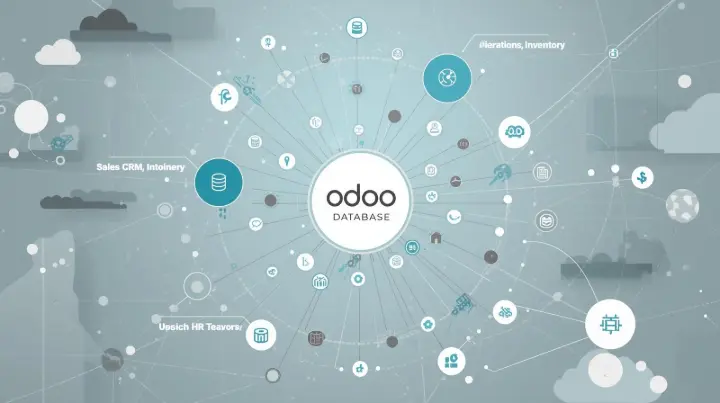
Other common modules include eCommerce/Website (online store), Point of Sale (retail/POS operations), HR (recruitment, payroll, and expenses), and Marketing (email campaigns and marketing automation). Odoo currently offers over 10 industry-specific apps (e.g., Maintenance, PLM for engineering). In practice, activate only what adds value. For instance, start small: you might launch with CRM and Finance, and later enable Manufacturing or Inventory. This phased module selection (backed by stakeholder sign-off) prevents unnecessary customizations. Continually document which features are must-haves versus optional; this helps avoid scope creep and keeps the project on track.
When deciding, consider your industry requirements. A trading business needs robust Inventory and Point-of-Sale modules, while a service firm will prioritize Projects and Timesheets. Ask: “What business process should Odoo support first?” Use basic formulas: if you manage physical goods, enable Inventory & MRP; if you sell online, configure eCommerce and Payment gateway connectors. Always map module capabilities to your key workflows. For example, activating the CRM app means you can manage leads and forecast sales pipelines (helping align marketing and sales teams). Once live, unused modules can remain inactive keeping the system clean and focused.
Data Migration Strategy
Successful data migration in Odoo begins with a thorough audit of your existing information. Before moving anything into the new system, review legacy spreadsheets or databases, remove duplicates, eliminate outdated records, and correct inconsistencies. Master data, such as customer lists, supplier details, product records, and your chart of accounts, must be complete and accurately formatted. Many implementation issues arise from missing or duplicated records, so it’s essential to involve accountants and operational staff to verify open invoices, stock quantities, and financial balances ahead of time [2].
Once the data is cleaned, the next step is to map legacy fields to Odoo’s structure. Creating a clear mapping document helps you understand how each piece of old data will translate into the new system, for example, how a legacy customer ID becomes an Odoo partner name or how product attributes align with Odoo’s inventory fields. This is especially important when upgrading from older Odoo versions or migrating from completely different systems, as database schemas and field names often change. Odoo migrations typically follow the Extract–Transform–Load (ETL) process: export the data, adjust it to match Odoo’s schema, and then import it into the platform.
The tools you select also play a major role in the migration’s success. For smaller datasets, Odoo’s built-in CSV importer usually handles master data well. However, more complex migrations, such as those involving years of accounting entries, thousands of sales orders, or heavy custom modules, may require automated tools. Odoo’s Enterprise Upgrade Tool and the community-driven OpenUpgrade project are commonly used because they adapt databases and data structures during upgrades. In situations with custom tables or special requirements, developers often combine these tools with Python scripts to handle unique cases. Testing is essential: always work on a cloned test database to avoid risking your live environment.
Because data migration is almost never perfect on the first attempt, it should be approached iteratively. Start with core data like partners and products and validate the results. Once the structure is confirmed, move on to more sensitive transactional data, sales orders, open invoices, stock movements, and verify each import carefully. Regular backups must be part of the process. Snapshots of both the legacy system and the Odoo database allow you to roll back easily if something goes wrong. Common issues such as incorrect taxes, mismatched currencies, missing requirements fields, or orphaned records can be spotted early if each stage is tested thoroughly before progressing.
Integration Best Practices
Odoo’s flexibility makes it easy to connect with external systems such as e-commerce platforms, payment gateways, CRM tools, and accounting software. The first step in any integration project is to determine whether a pre-built connector already exists. Many popular services, like Shopify, WooCommerce, PayPal, and Mailchimp, offer ready-to-use modules through the Odoo App Store or trusted vendors. These plug-and-play connectors are maintained by the developers who built them, which means they handle API changes, updates, and compatibility issues for you. Using existing connectors whenever possible accelerates deployment, reduces the need for custom development, and generally results in more stable long-term integrations.
When your business requires workflows that go beyond what standard connectors can provide, Odoo’s API options offer a powerful alternative. The platform supports XML-RPC, JSON-RPC, and modern REST endpoints, allowing developers to interact with Odoo records programmatically. This makes it possible to build custom scripts or middleware that exchange data in real time, such as automatically pulling orders from another system and creating them in Odoo’s sale.order model. Reliable authentication methods like access tokens or OAuth are essential for security, and integrations should always include logging, error handling, and retry logic. Before development begins, it’s important to gather API documentation from both Odoo and the external platform, list the fields that need to sync, and clarify the workflow logic. A well-defined data mapping plan can prevent major issues later on.
In more complex environments, especially those involving multiple systems, middleware or ETL platforms may offer a more scalable approach. Tools like Zapier, Make (formerly Integromat), or enterprise-grade iPaaS solutions can orchestrate data flows across multiple applications without heavy coding. These platforms often provide pre-built automation templates and can handle conditional logic, scheduled tasks, and multi-step workflows. They are particularly useful for organizations that need to integrate several services with Odoo or want a faster way to create and maintain automations. However, businesses should be mindful of potential limitations, such as API rate caps, workflow execution limits, and additional licensing fees.
No integration project is complete without a clear and deliberate testing process. It begins with defining the scope, identifying which systems need to share data, the direction in which data will flow, and the timing of each sync. Field mapping is especially critical. For instance, Odoo’s res.partner fields must align correctly with customer fields in the third-party system, and transformations may be needed for formats such as dates, currencies, or units of measure. All development and testing should take place in a staging environment where sample data can be synced safely. Thorough testing ensures that records appear in the right place, without duplicates or missing information. Once the integration goes live, ongoing monitoring becomes essential. Systems evolve, APIs change, and connectors may require updates, so maintaining logs, alerts, and periodic reviews will help keep data flowing smoothly over time.

Testing, Training, and Go-Live
Before launching Odoo, it is essential to conduct thorough User Acceptance Testing (UAT) with real users and realistic business scenarios. This stage ensures that critical workflows, such as creating sales orders, processing invoices, or logging project time, function correctly from start to finish. Voxtron recommends running parallel tests and training sessions as modules are configured to catch issues early. Role-based testing is equally important, and OdooVizion stresses the value of having each department validate the tasks relevant to their responsibilities, for example, sales representatives practicing quotation and invoicing workflows, while accounting staff rehearse financial entries [3]. The purpose of UAT is to identify and fix any gaps before go-live so that the system behaves as expected once it becomes the operational tool.
As the go-live date approaches, a final round of data validation becomes critical. This involves performing a sanity check on all migrated data to confirm that key balances, such as bank accounts, inventory quantities, and open invoices, match the figures in the legacy system [4]. It is also advisable to update currency rates and tax configurations on the day of launch to avoid discrepancies. This last reconciliation step helps prevent unpleasant surprises once the system is live. Involving the finance team ensures that essential balances tie out correctly, including verifying that total Accounts Receivable in Odoo matches the previous system’s closing balance [5].
Training plays a significant role in determining how smoothly the organization adapts to the new ERP system. Users should receive hands-on training supported by simple reference guides that focus on the tasks they perform daily rather than broad system overviews. For example, sales teams should practice entering opportunities, applying sales taxes, and printing customer orders, while warehouse staff learn picking, packing, and shipping processes within the Inventory application [6]. Encouraging questions and documenting recurring issues helps improve training materials and builds user confidence. Well-prepared teams are far more likely to embrace the new system and work productively on Day 1.
A structured go-live plan helps ensure a smooth transition. On launch day, it is important to verify that backups have been completed, maintenance windows announced, and support personnel are ready. The OdooVizion checklist even suggests running a “mock go-live” right before the real date, processing sample transactions, reviewing reports, and monitoring system performance to confirm stability [7]. After the system goes live, it’s wise to freeze major changes temporarily to maintain stability. A short hypercare period, typically lasting two to four weeks, provides users with dedicated support to resolve issues quickly. During this phase, organizations should implement daily monitoring, collect user feedback, and review key reports, as recommended by Vizion [8].
Post-Implementation Support and Optimization
Go-live is not the end of the ERP journey, it marks the beginning of long-term optimization. Sustained success depends on a reliable support structure, whether managed internally by an appointed “Odoo champion” or externally through a support contract. Regular database backups and periodic log reviews help maintain system health. As roles evolve within the organization, user permissions and access rights should also be updated to reflect operational needs. Many businesses benefit from quarterly or biannual system reviews to ensure ongoing stability and performance.
Continuous improvement is a natural part of ERP evolution. Gathering user feedback and tracking key performance indicators often reveal opportunities to automate additional tasks or refine existing workflows. Odoo offers various options such as automated actions, custom reports, and personalized dashboards to streamline processes further. Routine data maintenance, such as archiving old records and removing unused products or customers. keeps the system running efficiently. Performance can also be improved by optimizing database structure, adding indexes where needed, and reviewing Odoo’s scheduled “cron” jobs to ensure they are used effectively.
Planning for upgrades is another vital aspect of long-term ERP management. Because Odoo releases a new version each year, organizations must periodically evaluate whether to adopt newer features or security enhancements. Voxtron emphasizes treating upgrades like small implementation projects by reviewing customizations, checking module compatibility, testing migrations on a copy of the production database, and preparing users for any interface changes. Working with an experienced partner helps schedule these upgrades at the right time, ensuring the system remains secure, modern, and aligned with business growth without disrupting operations.
In summary, a successful Odoo implementation requires meticulous planning: define requirements, choose the right apps, migrate data carefully, and rigorously test before launch. With a phased rollout, thorough training, and a solid post-launch support plan, you can unlock Odoo’s full value.
Ready to get started? Consider reaching out to a certified Odoo expert or partner to tailor this process to your organization. With best practices and the right team, your Odoo deployment can transform into a powerful growth platform for your business [9].